The new home for AI browser games.
No downloads. Play instantly.
Ready up to join nearby players. The queue gives real players up to 75 seconds to join, then fills the remaining seats with bots. Drop from the aircraft, find weapons and armor, and fight through the moving storm. Chop trees and island walls with your axe to gather materials for walls, floors and ramps. Each piece costs 10 materials; carry up to 300 and keep 16 pieces active. Find a grapple kit on the lighthouse, town clock tower or pyramid rooftop to swing around cover; landings cause no fall damage. Play solo practice or share a private room with friends.
Keyboard and mouse recommended. Requires WebGL2 and hardware acceleration. Public matches require an internet connection. Practice works immediately.
The queue allows up to 75 seconds for people to join. Bots fill empty seats at departure. Armor equips when you pick it up with E. Start with 60 materials, then chop trees and walls to replenish them. Builds cost 10 each; intact pieces can be packed up with G.
A live match seat is held for 30 seconds after a connection loss. Refreshing this tab can restore that seat. Match progress is not saved between games.
Browser Royale combines an island firefight with quick building and harvesting. Start with Practice to learn the rhythm, then use an invite lobby to play with friends or Ready Up to find a public match.
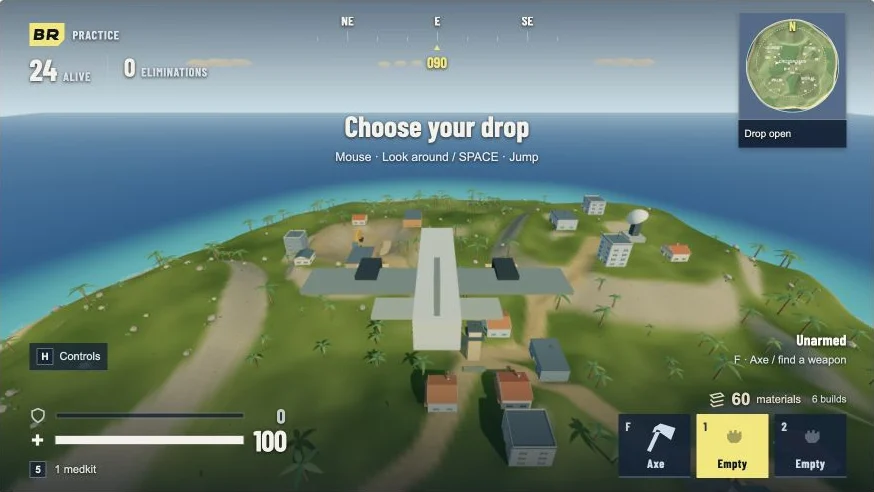
Practice starts immediately with bots. Ready Up enters public matchmaking: the queue gives real players up to 75 seconds to join, then fills the remaining places with bots for a 60-player match. Stay in the waiting screen while it finds players; you do not need to keep pressing Ready Up.
For friends, choose Join Multiplayer, then Create Lobby. Share the displayed invite code; your friends enter it through Join Multiplayer and Join Lobby. Each player readies up in the waiting screen. Have everyone join before readying so the private match does not start before your group arrives.
Look around from the aircraft and press Space to jump. Aim for a cluster of buildings with a route back toward the island’s center. Use Space for your glide, then E to collect a weapon, ammunition and armor. Armor equips when picked up; there is no separate armor button.
Switch weapons with 1 and 2, reload with R, and use the right mouse button to aim. Reload behind cover and use 5 for a medkit during a quiet moment. Keep checking the minimap: the colored storm wall closes in, and being outside the safe area costs health. A stocked inventory will not protect you from a late rotation.
Press F for the axe and left click trees or island walls to gather materials. You start with 60 materials; each build costs 10, and you can carry 300. Q toggles building, while Z selects a wall, X a floor and C a ramp. Aim the preview, rotate with R if needed, and left click to place.
A wall buys time to reload; a ramp gives you a route above a doorway or across uneven ground. Connect ramps end to end to climb higher. You can keep 16 pieces active, and enemies can destroy them, so leave yourself another exit. G packs up an intact build you own when you target it, letting you reclaim materials instead of leaving every piece behind.
Grapple kits have permanent spawns on the lighthouse, the town clock tower and the pyramid rooftop. After collecting one, use V to fire the grapple and Space to release it. There is no fall damage, so a high escape route is useful when a building fight gets crowded.
Height also makes you visible. Move between cover rather than staying on the same rooftop until the storm catches you. Press H for the equipment guide or Escape for settings and sensitivity. If online play briefly disconnects, the game attempts to reconnect and holds your active match place for 30 seconds; Practice is the quickest way to keep playing when the network is unavailable.